
Campaign types
Google Ads has several campaign types. Choosing the right one is your first big decision.
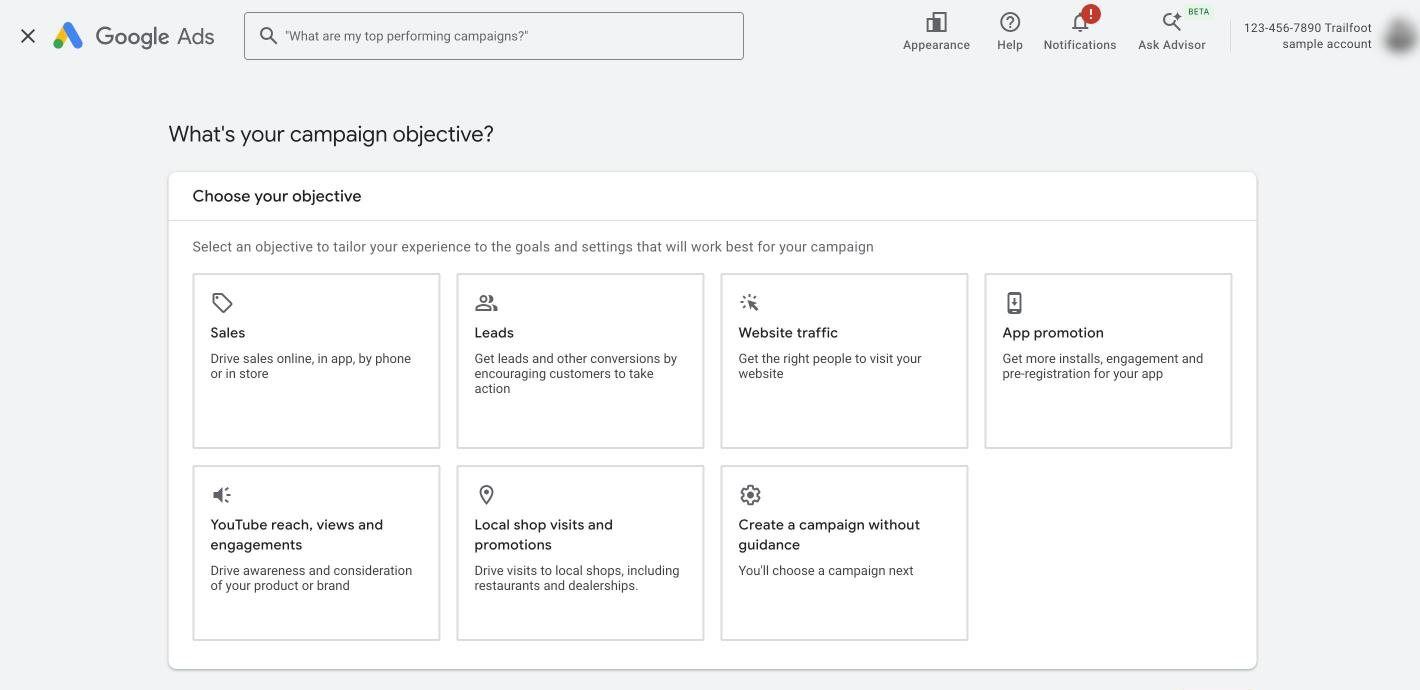
Google Ads · Choosing a campaign objectiveReal screen, sample data
SearchText ads on Google search results. You pick keywords. The best place for most beginners to start.
Performance MaxOne campaign across Search, Shopping, YouTube, Display, Discover, Gmail and Maps, run largely by Google's AI.
ShoppingProduct ads with image, price and store name, powered by your Merchant Center product feed.
Demand GenVisual ads on YouTube, Discover, Gmail and Google's display network. It has replaced standard Display campaigns.
VideoYouTube video ads for reach, views or consideration.
AppPromote app installs and in app actions across Google's networks.
Start with Search if people already search for what you sell. Add Shopping or Performance Max once tracking is solid, especially for ecommerce.
Key takeaway
Search for intent, Shopping and Performance Max for products, Demand Gen and Video for visual reach. Most beginners should start with Search.
Try this. Search Google for your own product. Do you see text ads, shopping ads or both? That tells you which campaign types competitors use.
Use the left and right arrow keys to move between lessons. Your progress is saved on this device.