
Account structure
A Google Ads account is built in layers, a lot like Meta's.
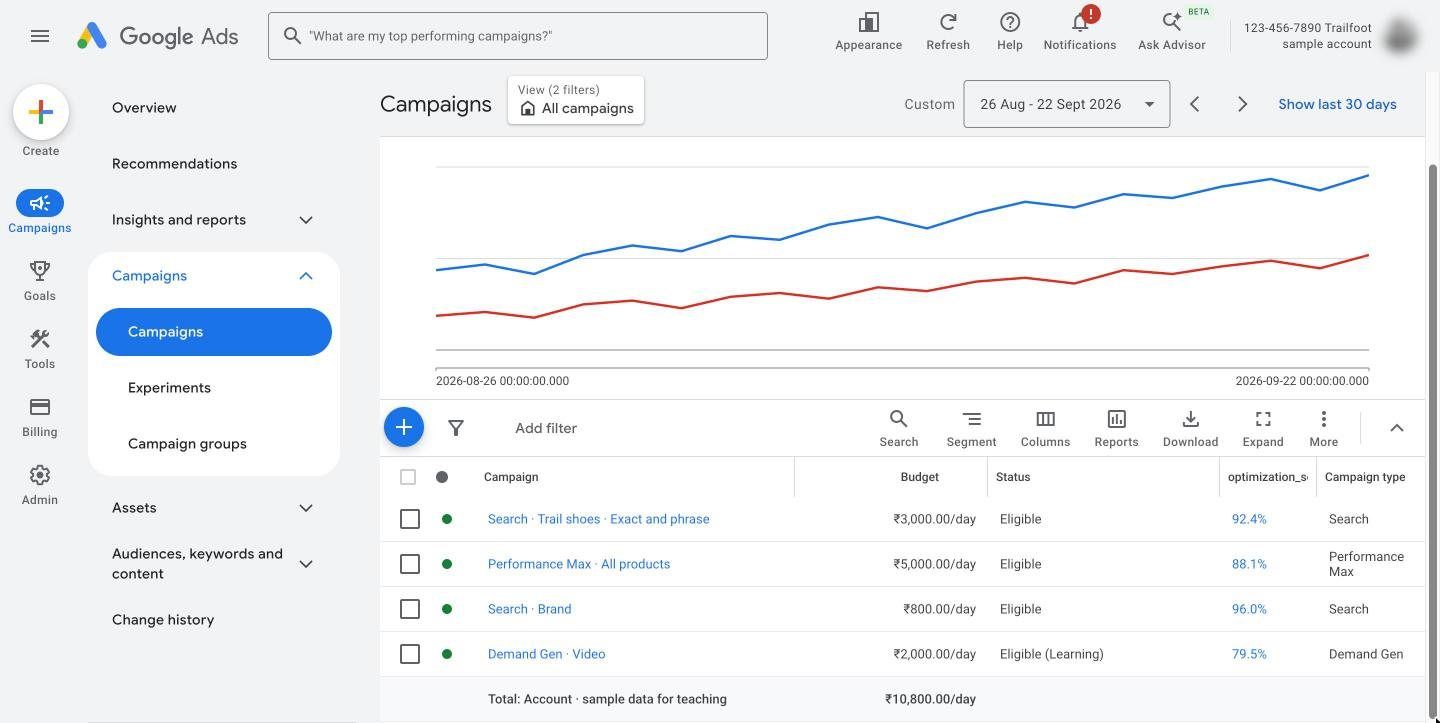
Google Ads · Campaigns viewReal screen, sample data
| Layer | You decide |
|---|---|
| Account | Billing, currency, time zone, account wide settings |
| Campaign | Type, budget, bidding strategy, locations, languages, networks |
| Ad group | A tight theme: a set of related keywords and the ads that match them |
| Keywords and ads | The searches you target and the ads people see |
Build ad groups around one theme each. If you sell shoes, "running shoes", "hiking boots" and "kids sneakers" should be separate ad groups, each with ads that speak to that exact search. A person searching for hiking boots should see an ad about hiking boots.
Put things that need a different budget or goal in different campaigns. For example, keep searches for your own brand name in a separate brand campaign, so cheap brand clicks do not hide how your other keywords perform.
Key takeaway
Account, campaign, ad group, then keywords and ads. One clear theme per ad group, and separate campaigns where budgets or goals differ.
Try this. List the three to five main things you sell. Each one is a likely ad group.
Use the left and right arrow keys to move between lessons. Your progress is saved on this device.