
Reading Ads Manager
The default columns in Ads Manager hide what you need. Open Columns, choose Customise columns, and save a preset with these:
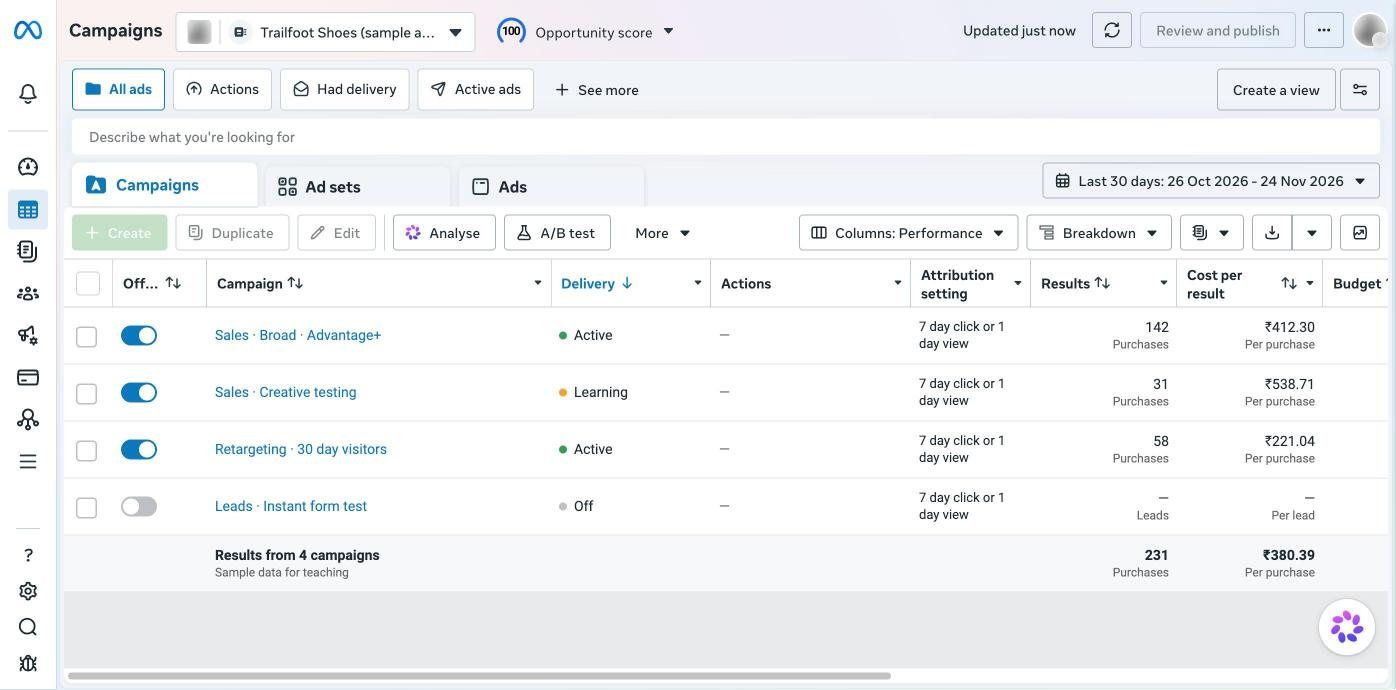
Meta Ads Manager · Columns to readReal screen, sample data
- Delivery active, learning, learning limited
- Amount spent
- Impressions and CPM
- Frequency average times each person saw it
- Link clicks, CTR (link) and CPC (link)
- Results and Cost per result
- Purchase ROAS and Purchases conversion value
- 3 second video plays and ThruPlays for video ads
Use Breakdown to split results by age, placement, platform or time. Ads Manager can also show results for each creative asset, so you can see which image or video inside a flexible ad is doing the work.
Judge ads on enough data. One sale versus zero after a day is noise. A common habit is to wait until an ad has spent around two to three times your target CPA before deciding.
Key takeaway
Save a column preset with spend, CPM, frequency, link CTR, CPC, results, cost per result and ROAS. Judge on enough spend, not one day.
Try this. Build and save the column preset above in your own Ads Manager.
Use the left and right arrow keys to move between lessons. Your progress is saved on this device.