
Google's local options: Maps and store goals
Beyond search ads, Google offers campaign types built for local results. When you create a campaign, the objective called Local shop visits and promotions is designed for driving people to a physical location.
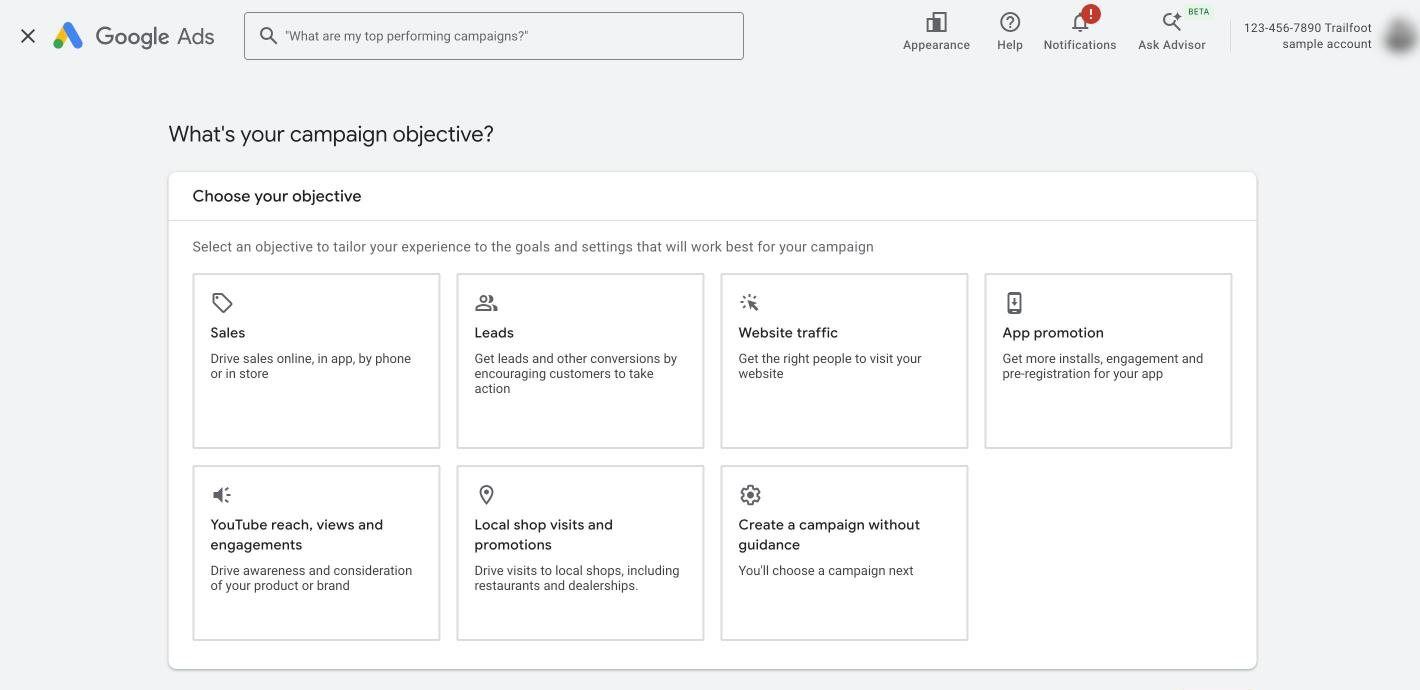
Google Ads · The local shop visits objectiveReal screen, sample data
These campaigns use your linked Business Profile and can show across Search, Maps, YouTube and Google's partner sites. You give Google your locations, images, headlines and a budget; it optimises for actions such as directions, calls and store visits.
When to use them
- You have a physical place people visit.
- Your Business Profile is complete with photos and reviews.
- You already run a search campaign and want more reach.
Ads can also appear inside Google Maps results as promoted pins and listings. A complete profile with good reviews makes these ads far more effective.
Key takeaway
Use Google's local shop visits objective once your Business Profile is complete, to reach people across Search and Maps.
Try this. Open the campaign objectives in Google Ads and look at the local option, without publishing, to see what it asks for.
PreviousA Google Search campaign for nearby searches
Mark complete and go toMeta ads for your neighbourhood ›
Use the left and right arrow keys to move between lessons. Your progress is saved on this device.